How to Create a Live Setup for Ableton and Push that Works for YOU!

Hello friends! You can watch the video and follow along with this blog post to learn about how to create and execute an intuitive live setup. I go through all my equipment, and my workflow by answering your most burning questions about live performance. I have an Ableton Live Performance Course, as well as many others that you can purchase.
LNA is an Ableton Certified Trainer and has an amazing collection of Push online courses.
Answering Your Questions
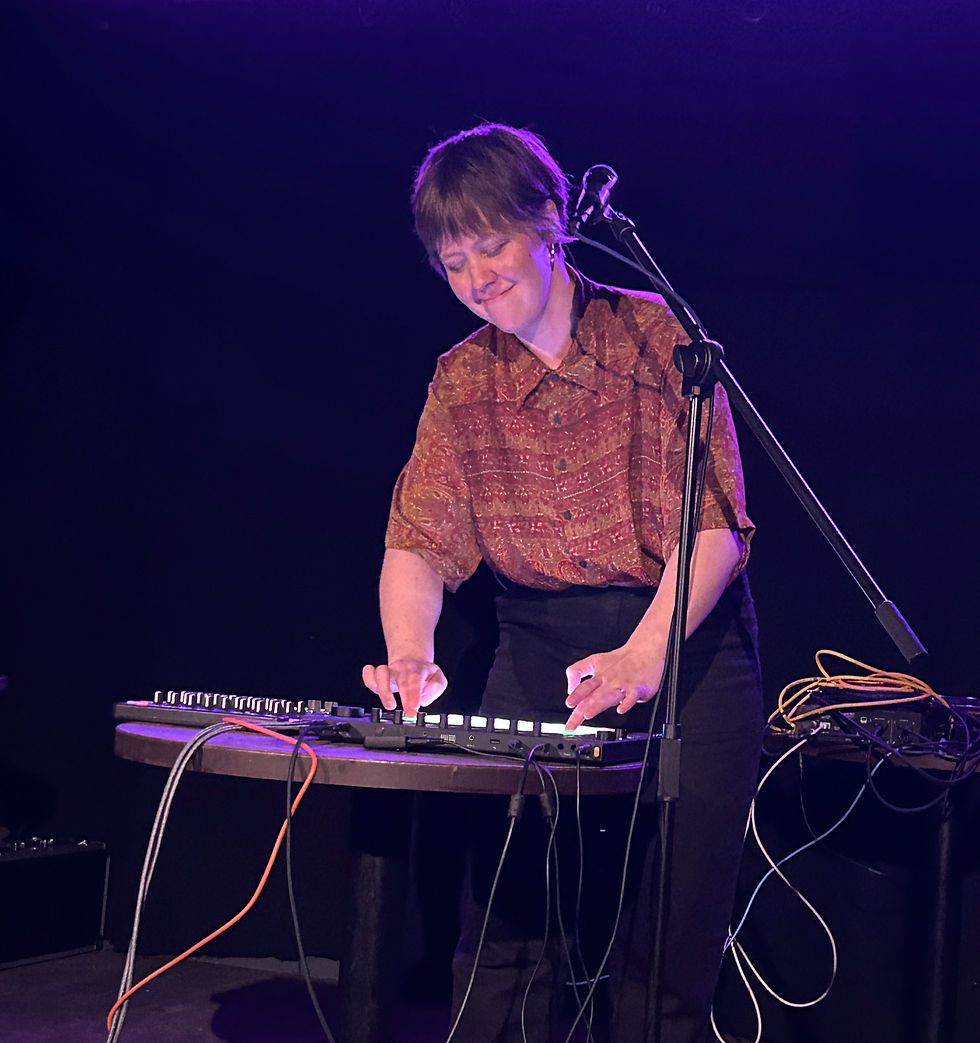
Question 1: What equipment do you use and why?
Ableton Push 3 Standalone, or with Ableton Live
Launch Control XL
I like to have volumes, fx, Eq's easy to access
Shure KSM8
A big jack to XLR cable, for Push 3 internal interface
easy to carry :)
In-Ear Monitor system
Lekato MS-1
All I need to ask a venue for is a table and mic stand.
Question 2: Why do you use an external mixer with Push?
I saw Ben Böhmer uses this, and it inspired me
I enjoy how in DJing, you have a mixer with low, mid and hi EQ
I wanted control in real-time over the following:
Drums
Chords and Arpeggiators
Strings
Vocals and vocal loops
Master
Question 3: How do you do transitions?
The EQ in the mix for the drums is the most important thing, and then blending everything for a cohesive sound
I use the arrows on my Push and color-code each track
When I want to go to the next scene, I use the down arrow and click Enter or use Session view. To see how I do this, go to timestamp 4:10 in my video.
I use DJ-style EQs in the mixer to transition from one song to another
Question 4: How much is pre-made and how much is made on the spot?
I just take key elements from my stems, such as drums, bass, and other loops.
I then add them into session view and loop them into 4-8 bar loops. I cover this in my Ableton live performance course, so if you want to learn more in detail check that out here. Get -10% off with the code: STARTCREATING10
You can think of this approach as a hybrid between the following components:
clips, playing, singing, and also manipulating the clips in the mixer
Question 5: Do you live loop in performances?
Yes! You can watch my live performance on my artist channel, LNA, here.
Setting for live looping:
Fixed length (16 bars)
Scale
I have a group track connected to a fader for my vocals
Session view: to see my workflow with a three-loop series of vocals, see timestamp 6:38.
Question 6: What instruments do I use in live performance, and how?
Some instruments are the same as in the track, but some not.
I use a lot of Diva plug-in in my tracks. To make sure it has the same tone, I went into Diva with the same settings as my tracks, and I recorded one long note. I drop that note into the Simpler in Ableton Live, and that allows me to save CPU and use Diva without any complications in my live set!
Question 7: How do you manage CPU usage on stage?
I utilize Ableton instrument presets in packs
No big plug-ins or plug-in effects
I use my Mac mini M-1 laptop separately from my main production computer, which I try to keep as empty as possible. It is only for live performances (and occasionally Netflix)
Question 8: How do you monitor yourself?
If you have an external interface, you can add several outputs
Use return tracks (line inputs and outputs) with a special mix just for you to monitor yourself easier. See that tutorial here.
If you want to join my creative community on Patreon, you can look into that here.
My Patreon community is an inclusive and safe space, which exists so creatives can support one another and grow! I encourage you to join in for inspiration, and creativity tips.


Comments